

Best Business Laptops in 2025 for New Zealand Professionals
Technology continues to drive success in New Zealand’s fast-changing business landscape. The right devices empower employees, streamline workflows, and strengthen your competitive edge. Investing in the best business laptop is a strategic move that can significantly impact productivity, efficiency, and profitability.
A business laptop today is far more than just a basic computing tool. It acts as a secure, reliable mobile workstation, supports modern communication and collaboration, and projects your company’s professionalism. It should integrate seamlessly with your IT systems, handle sensitive data securely, and meet the demands of the evolving workplace.
This 2025 guide is designed to help New Zealand businesses choose the best laptops for their needs. We’ll explore key considerations and highlight the latest trends shaping the business laptop market.
What to Look for in a Business Laptop (2025)
Processor — The Performance Core
Your laptop’s processor dictates its speed and efficiency. Cutting-edge chips like Intel’s 14th Generation or AMD’s Ryzen 7000 series offer seamless multitasking, faster data processing, and smooth performance. Multi-core processors shine when handling multiple applications or working with large datasets. Integrated graphics, AI acceleration, and modern architectural improvements further enhance performance.
RAM — Smooth Multitasking
Insufficient RAM can lead to freezing, lag, and poor multitasking. 8GB RAM is no longer sufficient for professionals or creators. Aim for at least 16GB with high-speed DDR5 memory for responsiveness and consistent performance.
Storage — Fast & Reliable
Solid-State Drives (SSDs) deliver faster boot times, better durability, and superior performance compared to traditional HDDs. NVMe SSDs take speed even further, making them ideal for professionals working with large files or demanding software. Always choose storage capacity that meets current needs while allowing for growth.
Graphics — Visual Power
Graphics capabilities matter for visual-heavy tasks. Integrated graphics are fine for basic office use, but professionals handling video editing, graphic design, or 3D modeling will benefit from dedicated GPUs like NVIDIA GeForce or AMD Radeon. Powerful graphics also enhance video conferencing quality.
Portability & Durability — Built to Travel
Modern professionals value mobility. Lightweight, compact laptops are easier to carry and fit in tight space, but may sacrifice screen size. Striking the right balance is crucial. Durable construction — using carbon fiber or magnesium alloy — can withstand bumps, dust, and temperature changes. Long battery life, optional battery packs, and docking stations further improve flexibility and productivity on the go.
Security — Protect Your Business
Security is essential for any business device. Features like fingerprint sensors, facial recognition, and TPM chips help protect data and improve user authentication. Secure boot processes and pre-installed security software add an extra layer of defense. Always choose laptops from manufacturers with strong security standards and regular updates that comply with New Zealand cybersecurity regulations.
Connectivity — Stay Connected
Fast, stable Wi-Fi is critical for cloud applications and remote work. Wi-Fi 6/6E delivers higher speeds, lower latency, and better range, making online meetings and file sharing smoother. Bluetooth 5.0+ supports stable connections for peripherals, while USB-C/Thunderbolt 4 ports ensure fast data transfer and charging. For professionals working remotely, optional 4G/5G modules, GPS, and NFC support can add even more flexibility.
Display — Work Clearly & Comfortably
Smaller screens enhance portability, while larger displays improve productivity for creators and multitaskers. Full HD is the baseline, but QHD and 4K resolutions offer stunning detail for design or editing work. High pixel density reduces eye strain, while touchscreen displays can support creative tasks and presentations.
Budget — Planning Your Investment
Business laptops in New Zealand typically range from $1,000 to over $3,000 depending on specifications. Consider the total cost of ownership (TCO) — including warranty, upgrades, support, and repairs — when budgeting.
Emerging Trends in Business Laptops (2025)
-
AI-powered features: Smarter video calls with AI noise cancellation and enhanced virtual assistants.
-
Foldable designs: Offering versatility with hybrid laptop/tablet modes.
-
Sustainability: Eco-friendly materials, reduced packaging, and energy-efficient designs.
Top Business Laptops to Consider in 2025 (New Zealand)
1. Lenovo ThinkPad X1 Carbon Gen 13 Aura Edition
 Strengths: Building on the iconic ThinkPad legacy, the X1 Carbon Gen 13 Aura Edition offers exceptional durability with a carbon-fiber chassis, making it ultra-light yet incredibly robust. Featuring Intel Lunar Lake processors, this device delivers superb multitasking capabilities, enhanced AI-powered features, and enterprise-grade security options. The refined keyboard remains one of the best in its class, providing an excellent typing experience for professionals who spend hours working on documents or coding.
Weaknesses: Its premium price tag can put it out of reach for smaller businesses or budget-conscious buyers. Some users may also find the classic ThinkPad design too traditional.
Ideal for: Business leaders, frequent travelers, and professionals who value lightweight, durable, and secure devices with powerful processing for high-pressure environments.
2. Dell XPS 13 Plus
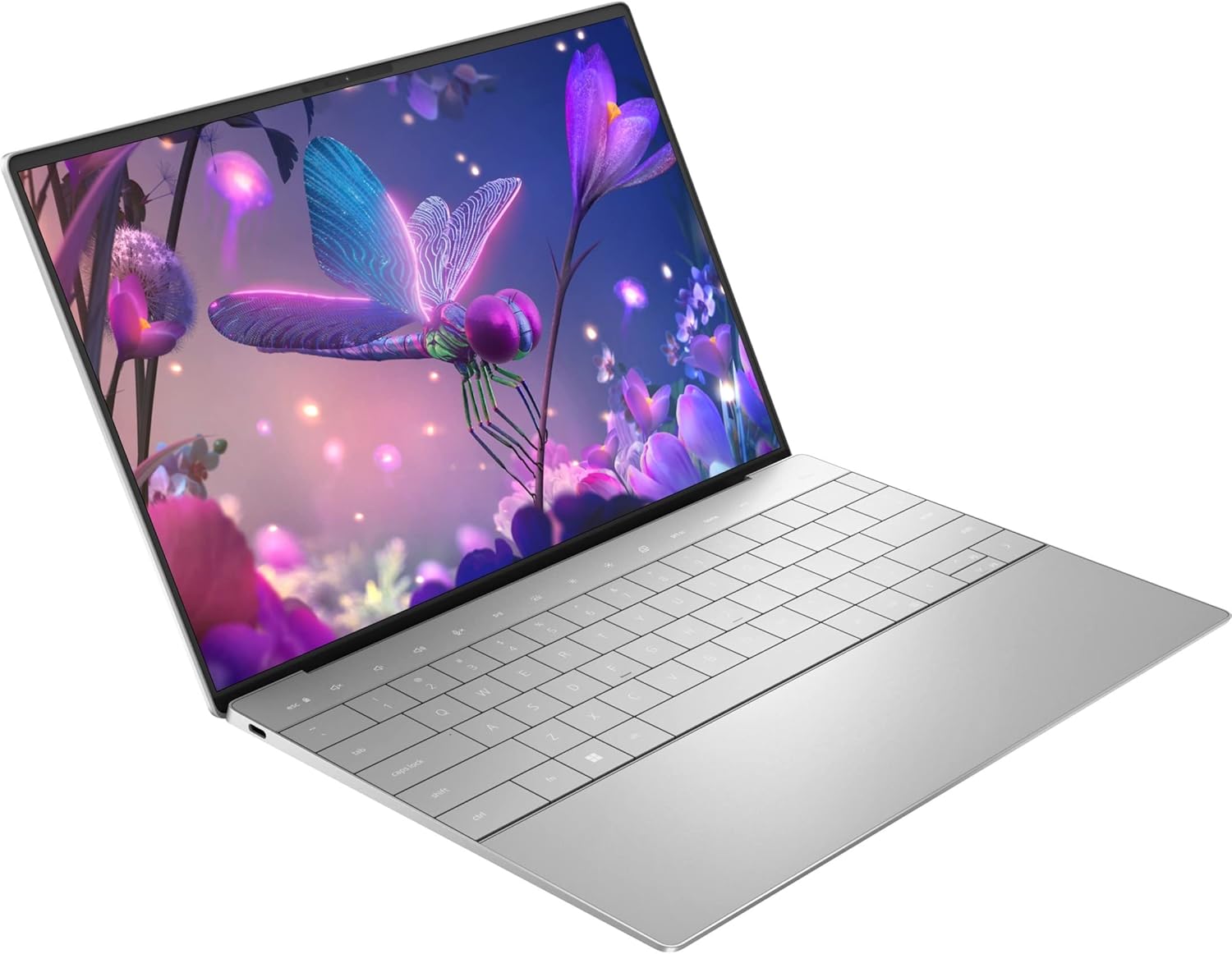
Strengths: The Dell XPS 13 Plus pushes boundaries with its futuristic, minimalist design, an edge-to-edge OLED touch display, and powerful Intel Core Ultra processors. It supports seamless multitasking and demanding business workloads while maintaining a compact footprint. The vivid display offers true-to-life colors perfect for design or presentation tasks, and the battery life is optimized for a full day of use.
Weaknesses: The haptic keyboard and invisible touchpad can be a learning curve for users familiar with traditional input devices.
Ideal for: Design-focused professionals, consultants, and executives who want a stunning, premium look combined with top-tier performance and portability.
3. Apple MacBook Pro M4

Strengths: Apple’s M4 chip represents a new era in performance, delivering exceptional speed, energy efficiency, and machine learning capabilities. The MacBook Pro M4 is equipped with a stunning Retina display featuring ProMotion for ultra-smooth visuals. macOS continues to impress with its intuitive interface and rock-solid reliability, and integration with other Apple devices (iPhone, iPad, Watch) streamlines workflows and communication.
Weaknesses: The higher price, plus potential incompatibility with some Windows-exclusive software, may be challenging for mixed IT environments.
Ideal for: Creatives, developers, and Apple ecosystem users seeking uncompromising performance, long battery life, and a premium user experience.
4. HP EliteBook 860 G11

Strengths: HP EliteBook 860 G11 prioritises enterprise security with features like HP Sure View Reflect (privacy screen) and a self-healing BIOS, protecting against malware and cyber threats. Combined with solid 13th-gen Intel processors and long-lasting battery life, it’s built for a secure and productive workday. The sturdy construction and comfortable keyboard make it a dependable choice for business use.
Weaknesses: Its more functional design may feel less premium compared to devices like the XPS 13 Plus or MacBook Pro.
Ideal for: Corporate IT teams, enterprise fleets, and professionals requiring bulletproof security and reliability without compromising performance.
5. Lenovo ThinkPad X1 Yoga Gen 8

Strengths: This flexible 2-in-1 convertible offers everything from standard laptop use to tablet mode for presenting or note-taking. With strong security, a superb keyboard, a responsive touchscreen, and Lenovo’s excellent build quality, it excels in hybrid work scenarios. The 360-degree hinge provides incredible versatility, while its high-performance specs handle demanding tasks with ease. Click here to see the features.
Weaknesses: It is slightly heavier than ultra-slim laptops because of the convertible mechanism.
Ideal for: Professionals who need a single device to handle both traditional laptop work and creative or interactive presentations.
6. HP EliteBook 1040 G11

Strengths: HP EliteBook 1040 G11 combines strong performance with enterprise-grade HP Wolf Security, offering a balanced package for demanding business environments. Its lightweight design makes it easy to travel with, while battery optimization ensures you can work throughout the day.
Weaknesses: The price can be on the higher side compared to standard business laptops, reflecting its advanced security and business features.
Ideal for: Executives, enterprise workers, and IT teams managing large fleets of devices that require strong security protocols and consistent performance.
7. Dell Latitude 7350 Detachable
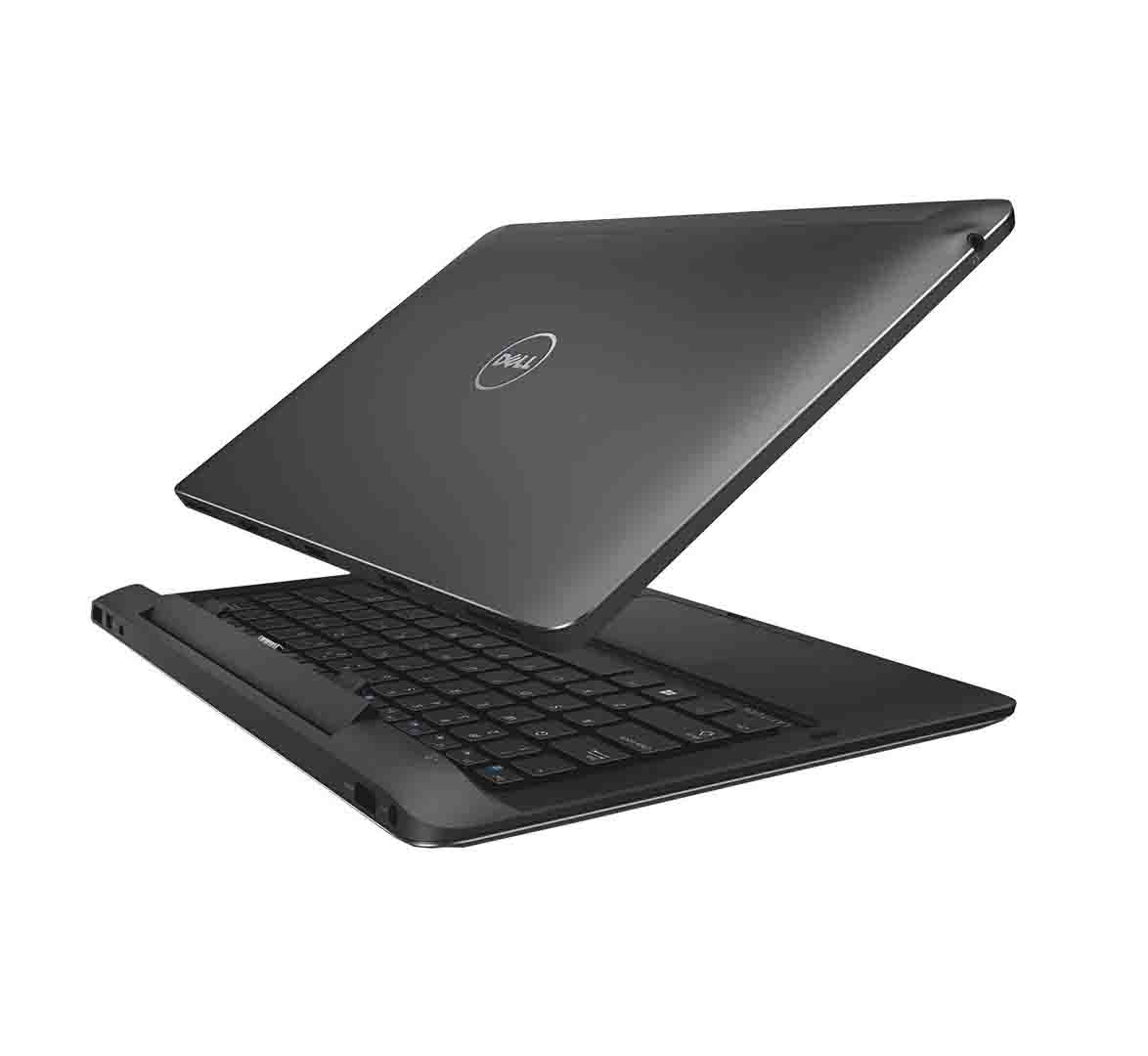
Strengths: A detachable keyboard transforms this premium laptop into a powerful tablet when needed, combining portability with performance. Features like Wi-Fi 6E, Thunderbolt 4 ports, and enterprise security options make it suitable for modern professionals who need flexibility. The 3K display ensures vibrant, sharp visuals, perfect for working on presentations or video calls. Click here to see the features.
Weaknesses: Being a 2-in-1, it may not match the raw power of traditional high-end laptops, especially for extremely intensive applications.
Ideal for: Consultants, educators, and hybrid workers who need to move between tablet and laptop modes without sacrificing build quality.
8. Dell Precision 5690

Weaknesses: Large, heavy, and not designed for constant travel, it is best suited for static workspaces.
Ideal for: Engineers, architects, data scientists, and creative professionals who demand maximum computing performance with professional-grade GPU capabilities.
9. ASUS Vivobook 16 M1605

Strengths: Offers a spacious 16-inch display, decent performance thanks to modern Ryzen processors, and a comfortable keyboard. It strikes a good balance of features at an affordable price point, making it great for budget-conscious businesses or student professionals. Click here to see the features.
Weaknesses: Its mid-range build quality means it may not be as durable or premium-feeling as higher-end models.
Ideal for: Students, startups, and small businesses needing a reliable workhorse without a premium price tag.
Conclusion
Choosing the best business laptop in 2025 comes down to balancing performance, portability, security, and budget. Whether you need a workstation-class beast like the Precision 5690, a flexible 2-in-1 like the X1 Yoga, or a premium all-rounder like the MacBook Pro M4, the right choice will empower your business to work smarter and faster.
If you’d like help finding the perfect business laptop, our team is ready to provide personal recommendations, support, and technical advice tailored to your needs. Feel free to get in touch or explore our range of business laptops online.